Block Blast App — Play Free or Add to Home Screen
by Ella · Updated 2026-08-15
Looking for the Block Blast app? You’ve got options — and you don’t actually need to download anything to start playing.
Block Blast is a wildly popular 8×8 block puzzle. This page covers every way to get it on your phone: the official app, the instant browser version, and a clever “add to home screen” trick that gives you an app-like icon without any download.
What is the Block Blast App?
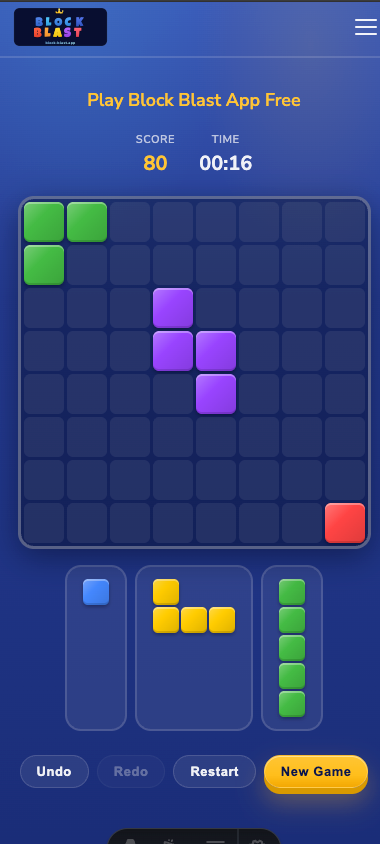
Block Blast is a block puzzle game played on an 8×8 grid. You drag colorful shapes onto the board, complete full rows and columns to clear them, and chain combos to chase a high score.
The game is available in two forms:
- The official mobile app — downloadable from the App Store and Google Play.
- The browser version — play instantly at block-blast.app with no download.
Both share the same core mechanics, so your skill carries over no matter how you play.
How to Play Block Blast on Your Phone
Option 1: Install the Official App
The official Block Blast app is available on both major app stores. It adds extra modes and offline play. See the links below.
Option 2: Play in Your Browser (No Download)
Open block-blast.app in any browser and you’re playing in seconds:
- No download, no account, no updates.
- Works on iPhone, Android, tablet, and desktop.
- Auto-saves your high score and progress.
Option 3: Add to Home Screen (App-Like, No Download)
This is the trick most people miss: you can add block-blast.app to your home screen so it opens full-screen with its own icon — just like a real app. Steps are further down.
Official Download Links
- Google Play: Block Blast on Google Play
- App Store (iPhone/iPad): open the App Store and search for “Block Blast”.
Note
We are not affiliated with the official Block Blast app. If you prefer to skip the download entirely, you can play the same game free at block-blast.app — no install required.
App vs Browser vs Home Screen
| Feature | Official App | Browser (block-blast.app) | Add to Home Screen |
|---|---|---|---|
| Download required | Yes | No | No |
| Offline play | Yes | No | No |
| Extra game modes | Yes | No | No |
| Own app icon | Yes | No | Yes |
| Auto-save progress | Yes | Yes | Yes |
| Daily leaderboard | No | Yes | Yes |
| AI solver | No | Yes | Yes |
How to Add Block Blast to Your Home Screen
On Android (Chrome)
- Open block-blast.app in Chrome.
- Tap the three-dot menu in the top-right corner.
- Tap Add to Home Screen.
- Confirm, and a Block Blast icon appears on your home screen.
On iPhone (Safari)
- Open block-blast.app in Safari.
- Tap the Share button (the square with an arrow) at the bottom.
- Scroll down and tap Add to Home Screen.
- Name it “Block Blast” and tap Add.
That’s it — you now have an app-like shortcut that launches Block Blast full-screen, with no download.
Frequently Asked Questions
Is Block Blast a free app?
Yes. Block Blast is free to play, both in the mobile app and in your browser at block-blast.app.
Can I play Block Blast without downloading the app?
Yes. Open block-blast.app in any browser and play instantly with no download or sign-up. You can also add it to your home screen for an app-like experience.
How do I add Block Blast to my home screen?
On Android, tap the menu in Chrome and choose Add to Home Screen. On iPhone, tap the Share button in Safari and choose Add to Home Screen.
Is the browser version the same as the app?
The core 8×8 gameplay is identical. The app adds extra modes and offline play, while the browser version loads instantly with no download.
Conclusion
You don’t need the Block Blast app to play — but if you want it, the official version is on Google Play and the App Store. Prefer no download? Play Block Blast now in your browser, or add it to your home screen for a full-screen, app-like experience.
While you’re here, check the Tips & Strategy guide or the Daily Leaderboard.
Also check out: Block Blast Solver · Tips & Strategy · Daily Leaderboard · Play Online