How to Play Block Blast on Google (Google Games)
by Ella · Updated 2026-08-14
Want to play Block Blast on Google without downloading an app or signing up? You’re not alone. “Google Block Blast” is one of the fastest-rising searches for the game, because the browser version loads in seconds and works on almost any device.
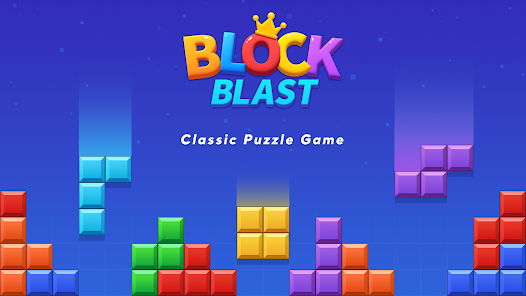
Here’s the good news: the core gameplay is exactly the same 8×8 block puzzle you already know. You drop colorful shapes onto a grid, clear full rows and columns, and chain combos to chase a high score. The only difference is where and how you launch it.
What is Google Block Blast?
“Google Block Blast” simply refers to playing Block Blast through Google — either via Google Games (Google’s built-in browser game hub) or by searching for it directly on Google.
The browser version delivers the full puzzle experience with zero friction:
- No app store download.
- No account required.
- Loads in seconds on desktop, tablet, and mobile.
- The same satisfying line-clearing mechanics and combo multipliers.
If you just want to jump in and play, you can skip all the setup and start right now at block-blast.app.
How to Play Block Blast on Google Games
On Desktop
- Open your browser and go to Google, or head to the Google Games hub.
- Search for “Block Blast”.
- Click the Block Blast result to launch it instantly in your browser.
- Drag blocks onto the 8×8 grid and clear lines to score.
On Mobile
- Open the Google app or Chrome on your phone.
- Search for “Block Blast”.
- Tap the playable result to start immediately — no install needed.
- Tap a block, then tap the grid to place it. Clear rows and columns to keep the board open.
Expert Analysis
The browser version plays identically to the app, so your skill carries over. The real advantage of playing in the browser is speed — you skip installs and updates, which makes it perfect for quick sessions at school or work. Just remember the core rule: always leave a 3×3 space open for the big square block.
Google Block Blast vs the App
| Feature | Google Games | Mobile App | block-blast.app |
|---|---|---|---|
| Download required | No | Yes | No |
| Works on desktop | Yes | No | Yes |
| Offline play | No | Yes | No |
| Extra game modes | No | Yes | No |
| Daily leaderboard | No | No | Yes |
| AI solver built in | No | No | Yes |
Tips for a Higher Score
- Clear a line every round to keep your combo multiplier alive.
- Set up near-clears — rows or columns just one or two blocks from completion.
- Keep the center open for maximum flexibility with awkward shapes.
- Plan all three blocks before placing the first one.
- Avoid corner traps that block big pieces later.
For a complete breakdown of these techniques, read our Block Blast Tips & Strategy guide. Stuck on a tough board? The Block Blast Solver finds the best move in seconds.
Frequently Asked Questions
Can I play Block Blast on Google for free?
Yes. Block Blast on Google Games is completely free to play, with no download or sign-up required.
Is Google Block Blast different from the mobile app?
The core 8×8 block puzzle gameplay is the same. The Google version runs in your browser, while the app adds extra modes and offline play.
How do I find Block Blast on Google Games?
Search for “Block Blast” on Google Games or open it from the Google Play Games hub to launch it instantly in your browser.
Does Google Block Blast save my high score?
Scores may sync with your Google account on Google Games. On block-blast.app your high score and daily challenge progress are saved automatically.
Conclusion
Playing Block Blast on Google is the fastest way to get on the grid — no install, no account, just instant puzzle action. Whether you launch it from Google Games or jump straight into the browser, the same combo-driven gameplay is waiting.
Ready to play? Start Block Blast now, or compete with players worldwide on the Daily Leaderboard.
Also check out: Block Blast Solver · Tips & Strategy · Daily Leaderboard · Play Online